Presentation Updates - Thanks to Our Early Users
This month we invited several early users to help us test Daino including college students, graduate students, and working professionals
People are using Daino for class notes, project management, and collaborating with research partners on academic papers
Throughout the process, we noticed that most note-taking users had presentation needs and commented:
I often need to transfer note content to presentation software. Being able to do everything within Daino is fantastic.
So this update focuses on presentation features
Update 1: Edit Slide Projection
Click the star button in the top right corner You'll now see a new Slides tab where you can:
- View all frames on the canvas
- Use up and down buttons to reorder slides
- Hide frames you don't want to present

Update 2: Laser Pointer
After adding presentations, we naturally need a laser pointer
You can now find it at the bottom of the toolbar (or press Ctrl/Command + K)

This feature was actually ready before, we just forgot to add it to the toolbar Guess what else we forgot to add? That's right - Text We've now added the button to the toolbar too (the one with a T)
Update 3: Copy
We found that people didn't really like the block duplication feature so we removed it
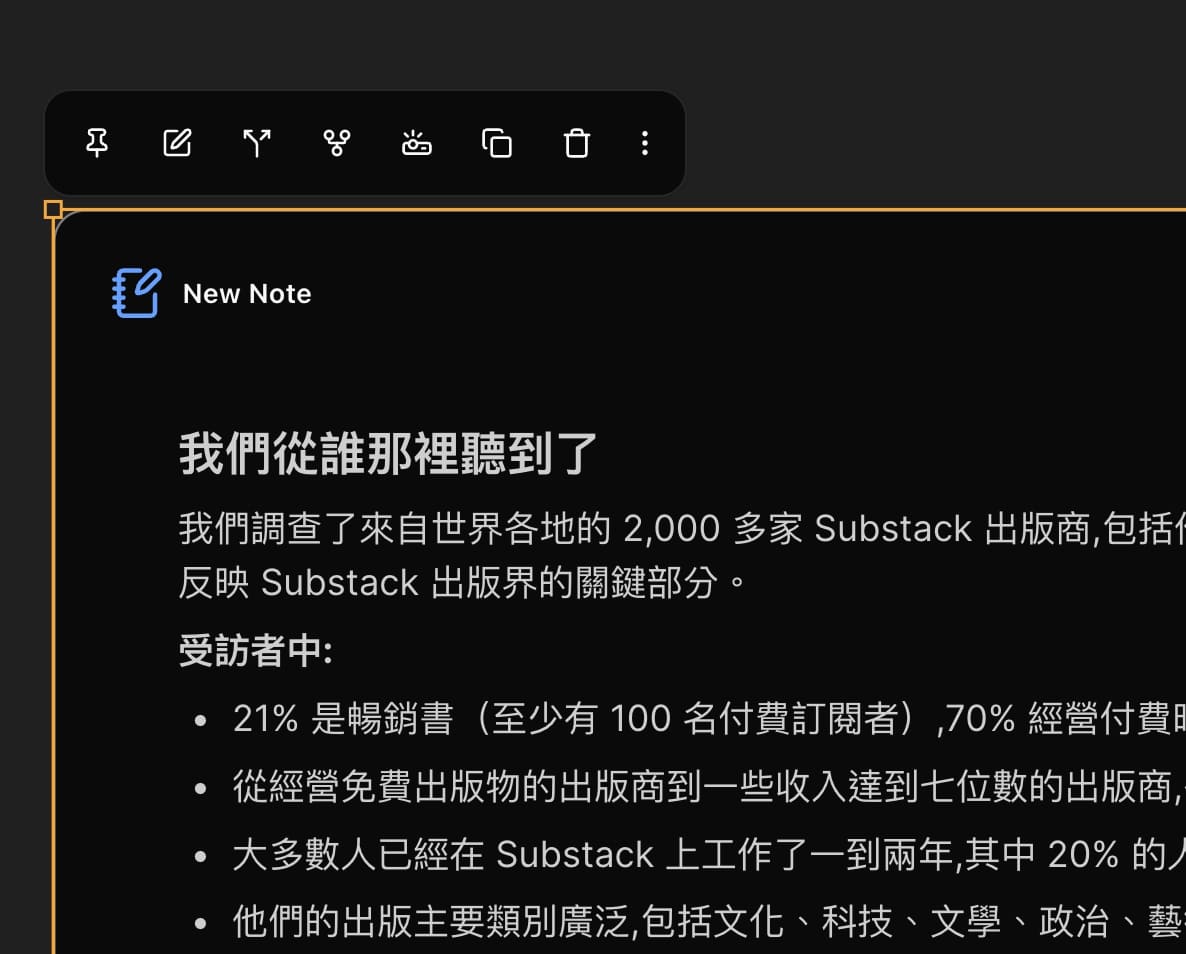
Now the copy button (third from the right) copies all text from your Note with Ctrl+C allowing you to quickly paste it elsewhere
Special Thanks
Thanks to the following early users for testing:
- Max: Thanks for your feedback on note collaboration, we'll get the PDF annotation feature online soon
- Andrew: Good luck on your midterms, hope Daino helps
- PiaoPiao: MVP of this round, caught so many details we missed
- Eliot: Thanks for your feedback from a PM perspective
- GalaGala: We'll work on the programming language support in Notes
- Esther: Found two major bugs, thank you so much
- Cynthia: Hope you recover from the flu soon
Next Update
The next update will focus on PDF features We may reference Heptabase's approach to expanding PDFs on the canvas and add cloud sync for PDF annotations